Every hour accounted for
Log time in seconds, keep project budgets in check and lock hours you have already invoiced. Built for service companies that bill by the hour.

Mykola Plakhotnik + you
CEO
- 30 minutes, at a time that suits you
- Video call in the app you use: Zoom, Google Meet or Microsoft Teams. We send the link for the one you pick.
- A live tour built around your team's questions
- Owner
- Admin
- Manager
- User
- 1 minsmallest time entry, with a required note
- 3 limit typesno limit, total or weekly hours per project
- Lockedpast periods can’t be changed after invoicing
Projects
Billable, budgeted and staffed
Each project has a status, dates, tags, a Billable or Non-billable flag and an hour limit: none, total or weekly. The project page shows hours logged, the limit and hours planned. Only project members can log time to it.
- See at a glance which hours go on the client’s invoice.
- Nobody goes over budget: extra hours need approval from an Owner or Admin, or an “Extra hours” request.
- Edit details, status, dates, tags, deadline, reminders and the project manager with one Edit button. “Admin-only edits” stops managers from changing a project.
- Where
- Log Time
- Projects
- New project
- Who
- Owner and Admin manage all projects. Managers manage their team’s projects unless Admin-only edits is on. Users see the projects they’re on.
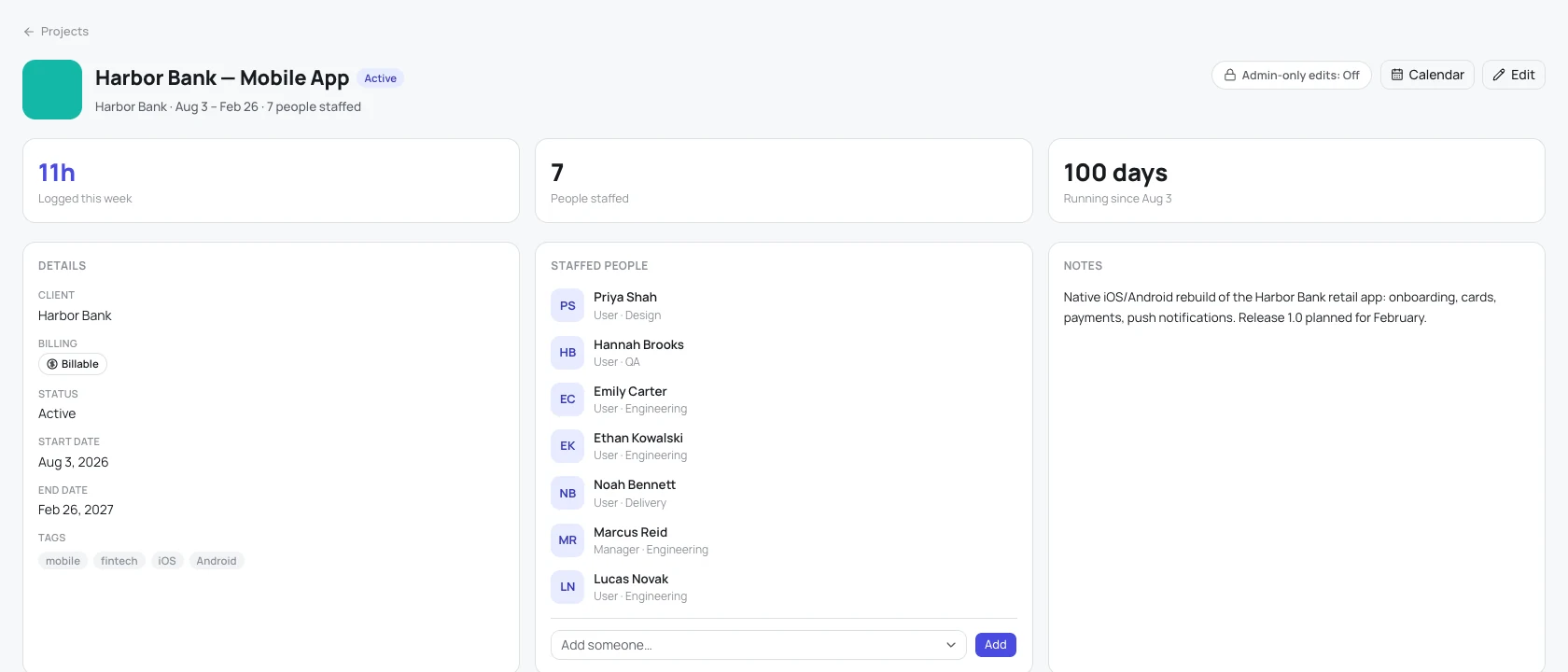
Harbor Bank — Mobile AppBillable
120 of 160 h logged20 h planned
Log My Time
Log a day in 30 seconds
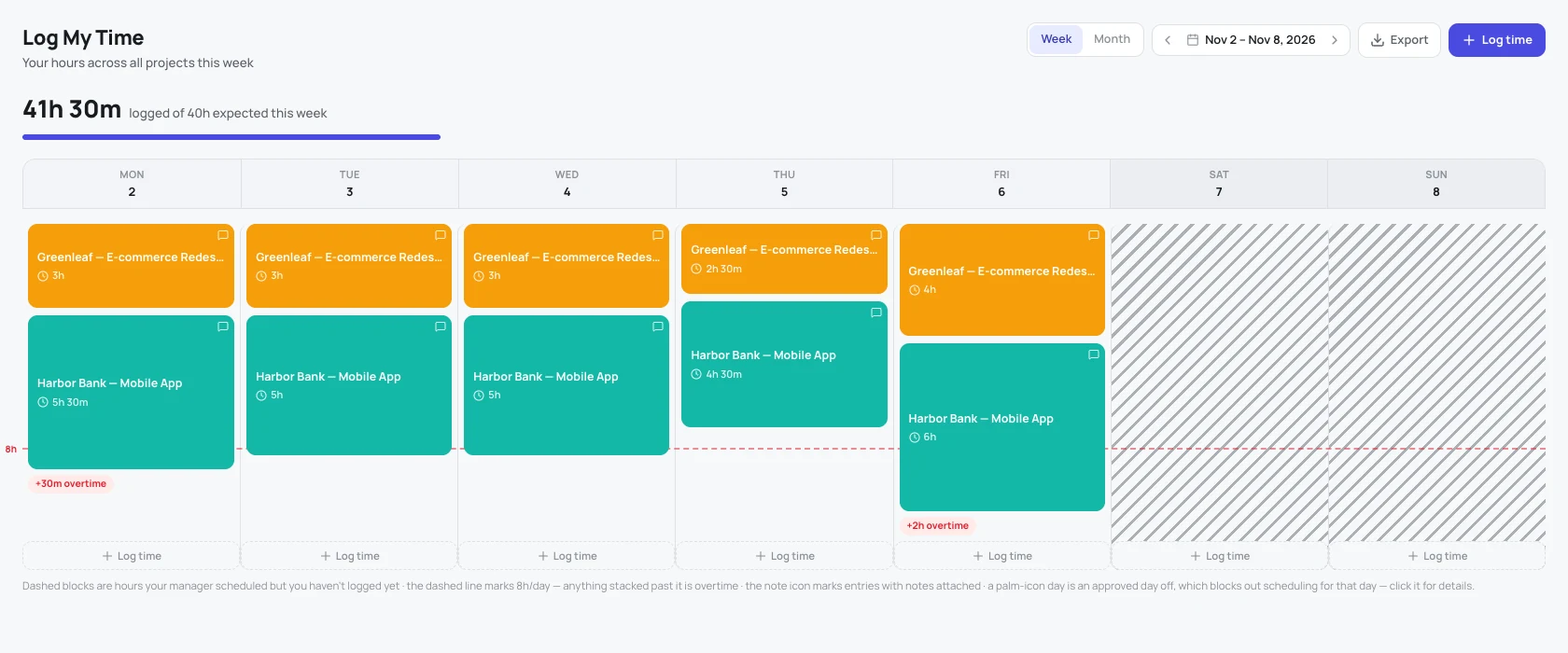
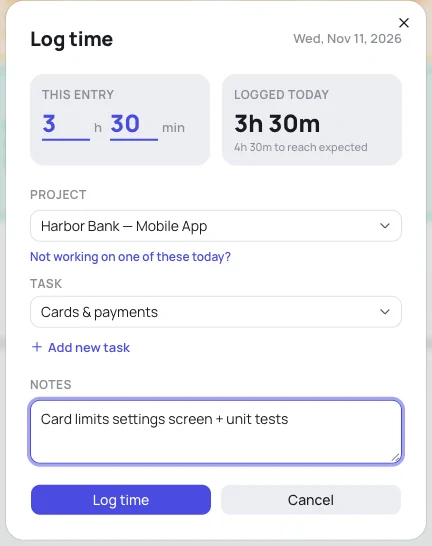
A weekly or monthly board with entries per project and “X logged of Y expected” at the top. Entries start at 1 minute and need a note of up to 1,000 characters. You can add several entries for the same project on one day, and hours beyond the working day are marked as overtime.
- Know in a minute how much is left to log this week.
- Planned work is already on the board, so you only confirm what happened.
- Hover a block to read its note, or hide a project for today if you’re not working on it.
- Where
- Log Time
- Log My Time
- + Log time
- Who
- Every role, for their own hours. Switch Week | Month, or jump to This month and Last month.
Timer
Press Start and get to work
Start a timer on a project and keep working. The timer stays visible on every page, and when you stop it Weekfox creates an entry with the actual time.
- No more guessing at 6 pm how long each task took.
- Stop it from any page, not just Log My Time.
- Where
- Log My Time
- Pick a project
- Start
- Who
- Every role.
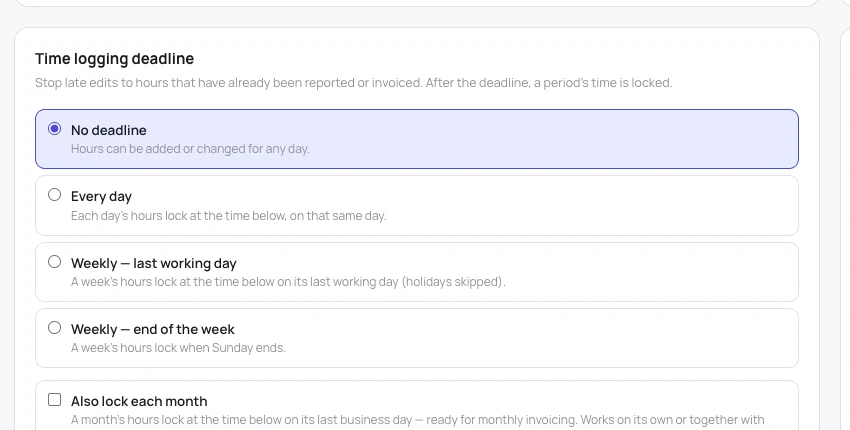
Time logging deadline
A closed period stays closed
Lock past hours on a schedule that fits your billing: no deadline, every day, on the last working day of the week, or at the end of the week. “Also lock each month” closes the month as well. The company time zone is respected.
- Hours already sent to a client can’t change after the fact.
- Honest mistakes still get fixed: an employee clicks a locked day and requests an unlock. The approver sees what’s logged and opens the day until a set time.
- Where
- Company settings
- Time logging deadline
- Who
- Owner and Admin set the deadline. Anyone can request an unlock; their manager approves.
Week of Nov 2Invoiced
- Mon8h
- Tue8h
- Wed8h
- Thu8h
- Fri6h
Log Team
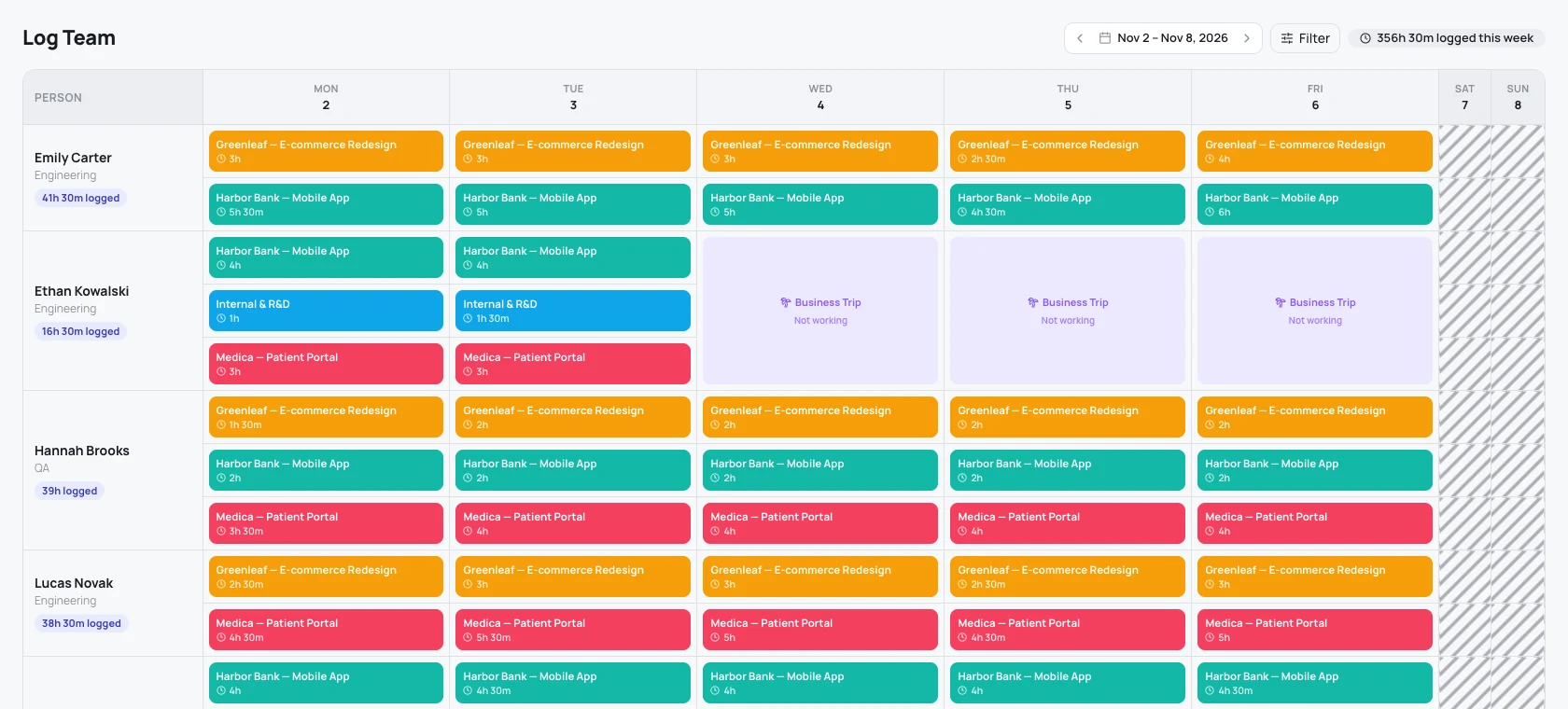
The whole team’s week on one screen
A people × days table with hours per project, time off and holidays. Filter by people, department or project. Open anyone’s week or month board in read-only mode, and plan their work from here.
- See in seconds who hasn’t logged time, without chasing people in chat.
- Where
- Log Time
- Log Team
- Who
- Owner and Admin see everyone. Managers see their own team.
Project manager & reminders
Weekfox reminds people for you
Every project has a manager and a time by which everyone should log their hours. After that deadline the manager gets an email listing who hasn’t logged. Employees get an evening reminder, daily or weekly, following company or project settings.
- Nobody has to send “please log your hours” messages.
- Hours are filled in on time, so reports are ready when you need them.
- Where
- Project
- Edit
- Project manager · Report deadline · Reminders
- Who
- Owner and Admin configure. Emails go to the project manager and employees.
 Weekfoxto you · 18:05
3 people haven’t logged time for today
- Ethan Kowalski0h of 8h
- Hannah Brooks3h of 8h
- Lucas Novak5h 30m of 8h
Project: Harbor Bank — Mobile App · deadline 18:00
Replace five tools with one this week
Start your free month today, or talk to us about your team first.
Mykola Plakhotnik + you
CEO
- 30 minutes, at a time that suits you
- Video call in the app you use: Zoom, Google Meet or Microsoft Teams. We send the link for the one you pick.
- A live tour built around your team's questions
- 1 month free
- No credit card
- Cancel anytime