
Time off without the spreadsheets
Balances count themselves, approval takes one click and the schedule clears automatically. Vacation, sick leave, remote work, business trips or any type you add.

Mykola Plakhotnik + you
CEO
- 30 minutes, at a time that suits you
- Video call in the app you use: Zoom, Google Meet or Microsoft Teams. We send the link for the one you pick.
- A live tour built around your team's questions
- Owner
- Admin
- Manager
- User
- 3 clicksto send a time-off request
- 0.25 dayfor a 2-hour appointment on an 8-hour day
- 1 clickto approve or decline
Request types
Your time-off policy, your rules
Create your own request types: vacation, sick leave, unpaid leave, a device request or anything else. Each type has a color, a limit in days or hours per year, yearly or monthly accrual, carry-over of unused days and optional auto-approval. Types without dates, like a device request, don’t ask for a period.
- Fits any policy, including individual agreements: set a custom yearly allowance for one person.
- Where
- Company settings
- Request types
- Who
- Owner and Admin.
- Paid time off20 days / yearMonthly accrual
- Sick leave10 days / yearAuto-approve
- Remote work24 days / yearCarry-over
- Business tripNo limit
- Unpaid leaveNo balance used
- Device requestNo dates needed
Requests & balances
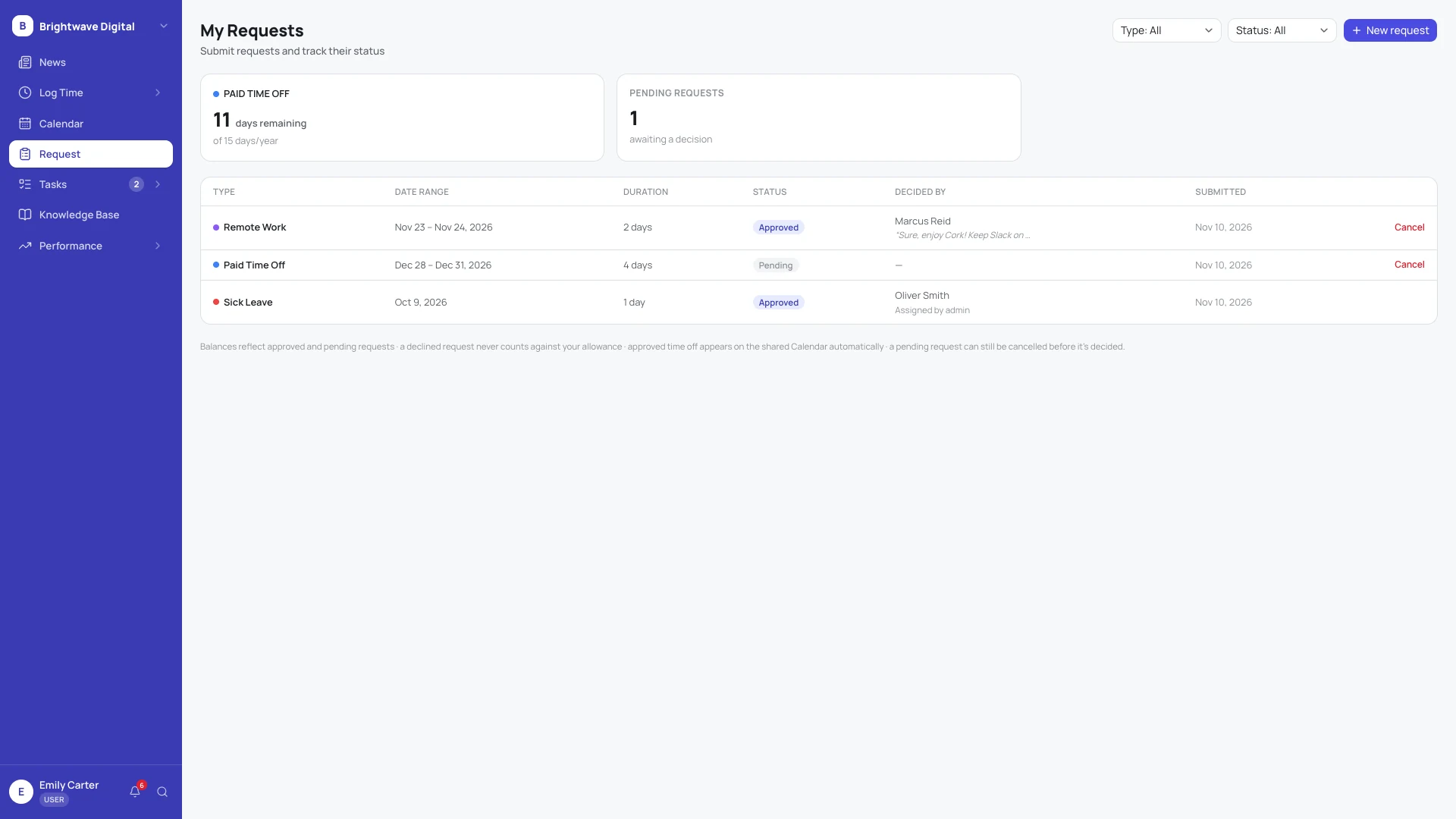
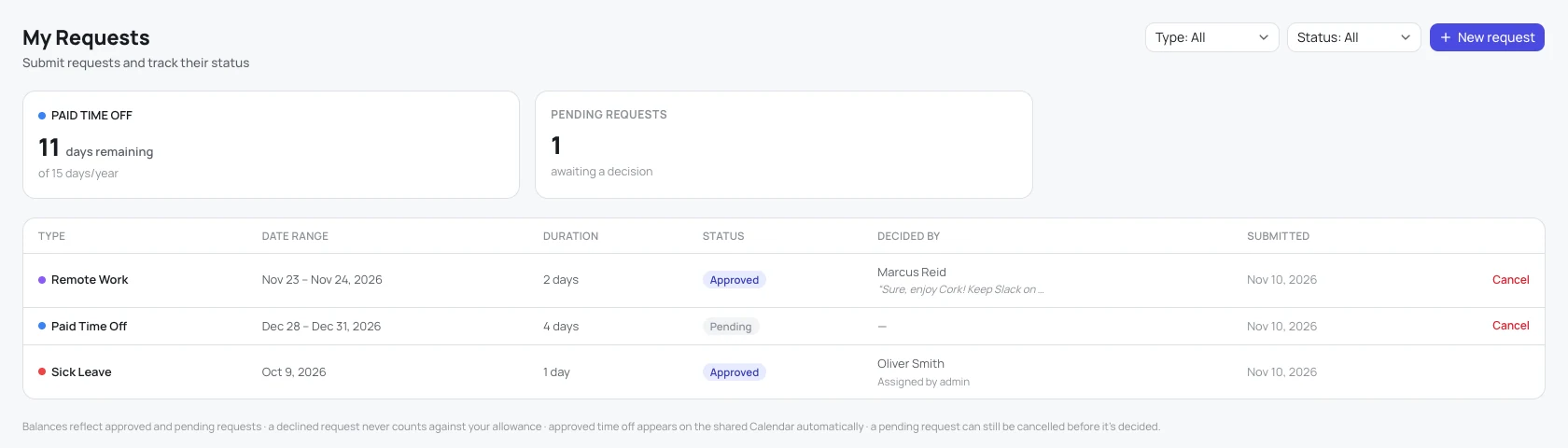
Request time off in three clicks
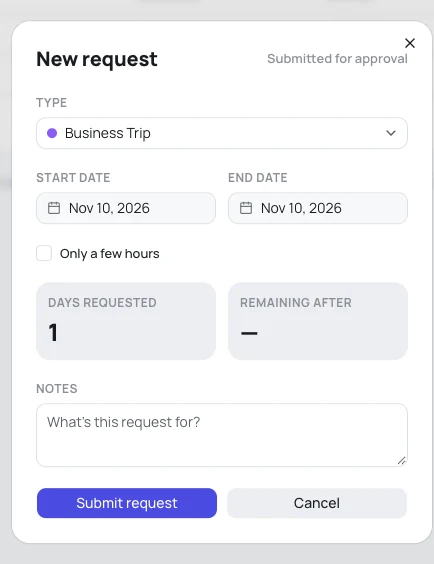
Employees see a balance card for each type, “X of N left”. The request form shows straight away how many days it uses and what will remain. If there aren’t enough days, the remainder turns red and the button is disabled. The form also warns about overlapping requests, weekends and holidays.
- Nobody has to ask HR how many days they have left.
- A request that can’t be granted never reaches the approver.
- Cancel a request even after it’s approved; resubmit a declined one with the fields already filled in.
- Where
- Request
- My Requests
- New request
- Who
- Every role.
Time off by the hour
Out for 2 hours? We take 2 hours, not a day
Tick “Only a few hours” and the form asks for a from–to time and a time zone. Only that part of the day is deducted, and expected hours drop by those hours only. Two short absences on the same day are fine as long as they don’t overlap.
- A doctor’s appointment no longer costs a full vacation day.
- Distributed teams don’t get confused by time zones.
- Where
- New request
- Only a few hours
- Who
- Every role.
Only a few hours
- From
- 10:00
- To
- 12:00
- Time zone
- Europe/Kyiv
2 h of an 8-hour day = 0.25 day
Expected hours drop by 2, not by 8Approvals & history
Approve in one click
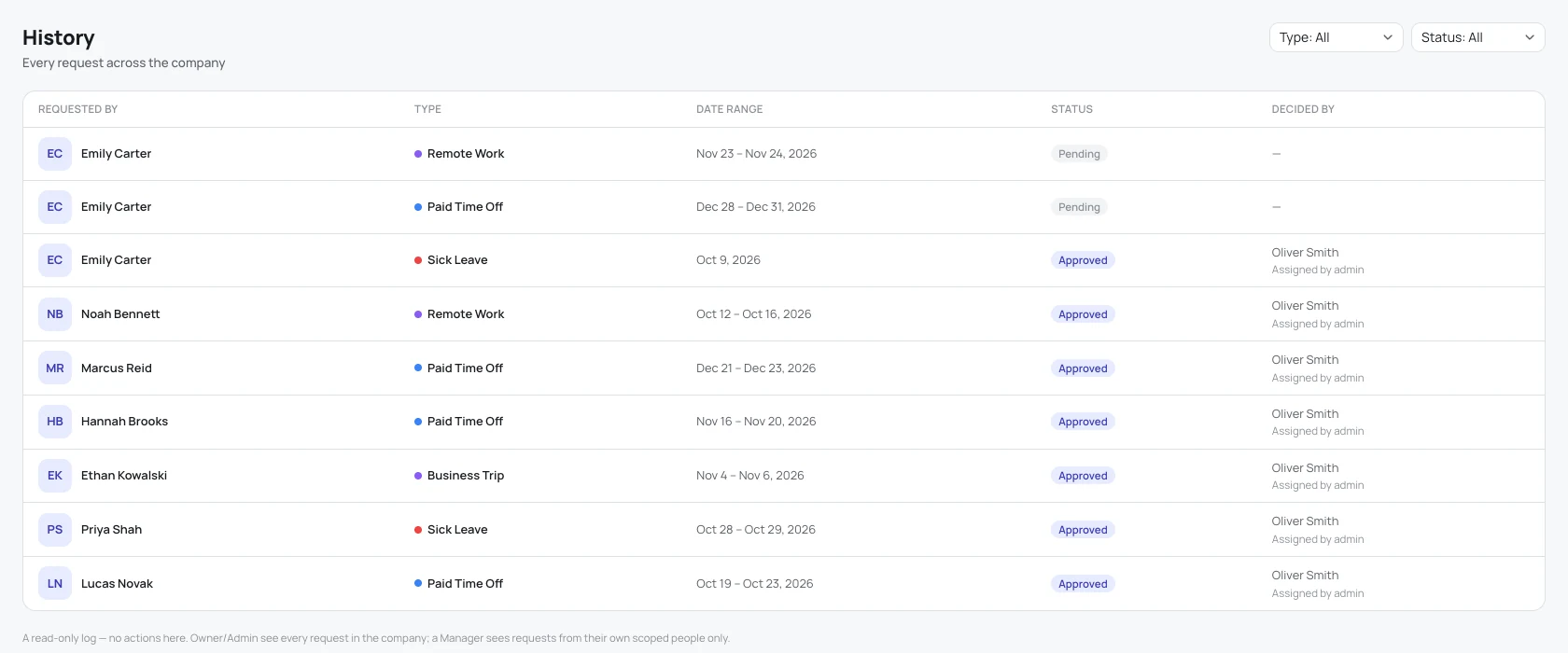
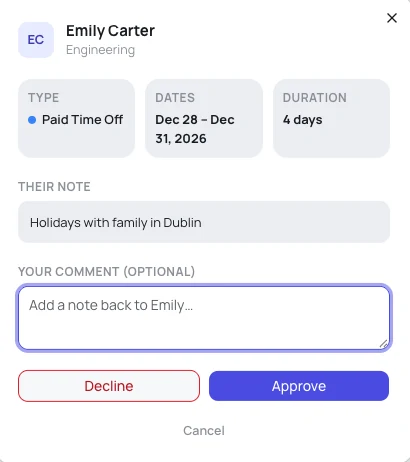
Managers see their team’s pending requests and approve or decline with a comment. If another approver has already decided, Weekfox tells you. The History tab lists every decided request with who decided and when, and a counter in the menu shows what’s waiting.
- Requests don’t get lost in email and messengers.
- The absence log builds itself.
- An Admin’s request can only be approved by the Owner.
- Where
- Request
- Approvals
- Who
- Managers approve their team, Admins everyone except other Admins, the Owner everyone including their own requests.
For HR
Fix a balance, with a reason and a history
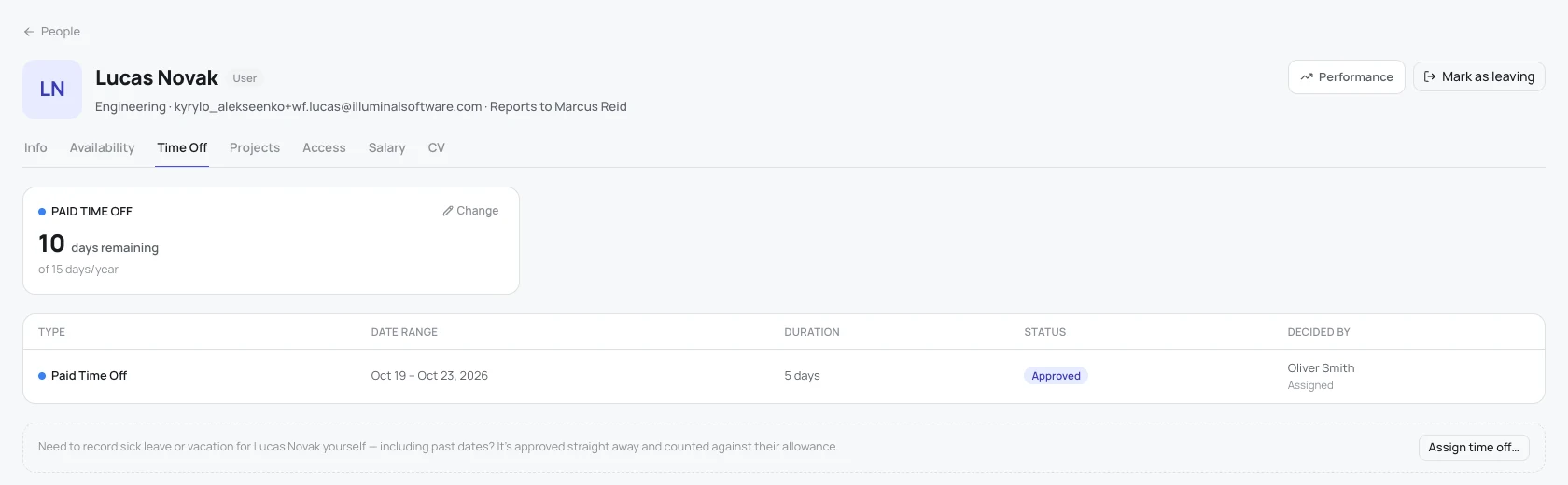
“Assign time off…” records sick leave or vacation for someone on any date, even in the past, and it’s approved immediately. “Change” on a balance card sets the remainder or adds a bonus day, with a required reason and a full history. You can also remove one day from approved leave: the leave splits in two and the day returns to the balance.
- A “I’m sick today” call is on record in a minute.
- Moving from another system? Remaining balances carry over without losses.
- Every change is transparent.
- Where
- Profile
- Time Off
- Assign time off… · Change
- Who
- Owner, Admin, and Managers for people with a lower role. Can be given to a custom role.
Balance historyReason required
- Oliver SmithNov 10+1 day
Bonus for the release weekend
- Sophie LaurentOct 1Set to 12
Balance moved from previous system
- Oliver SmithSep 18−1 day
Day returned from approved leave
Everything is connected
Approved time off clears the schedule
Once time off is approved, work planned for those days is removed and new work can’t be planned on them. Time off for a few hours leaves the day’s plan alone. Unpaid leave doesn’t use a balance but still reduces expected hours.
- No plans hanging on days when someone is away.
- Workload and reports stay honest. Nothing to do by hand.
- Where
- Automatic
- Who
- Works for everyone.
- Time off approvedHannah · Nov 16–20
- Planned work removed5 days cleared from Schedule
- Expected hours recalculated40 h → 0 h this week
Replace five tools with one this week
Start your free month today, or talk to us about your team first.
Mykola Plakhotnik + you
CEO
- 30 minutes, at a time that suits you
- Video call in the app you use: Zoom, Google Meet or Microsoft Teams. We send the link for the one you pick.
- A live tour built around your team's questions
- 1 month free
- No credit card
- Cancel anytime