
Plan the workload, not the firefighting
Plan who works on what, spot overload before it happens and get a client-ready report in two clicks, with expected hours calculated for you.

Mykola Plakhotnik + you
CEO
- 30 minutes, at a time that suits you
- Video call in the app you use: Zoom, Google Meet or Microsoft Teams. We send the link for the one you pick.
- A live tour built around your team's questions
- Owner
- Admin
- Manager
- Skippedholidays and approved time off, automatically
- Expected hoursworking days × hours − holidays − time off
- Billable splitbillable and non-billable shown separately
Schedule
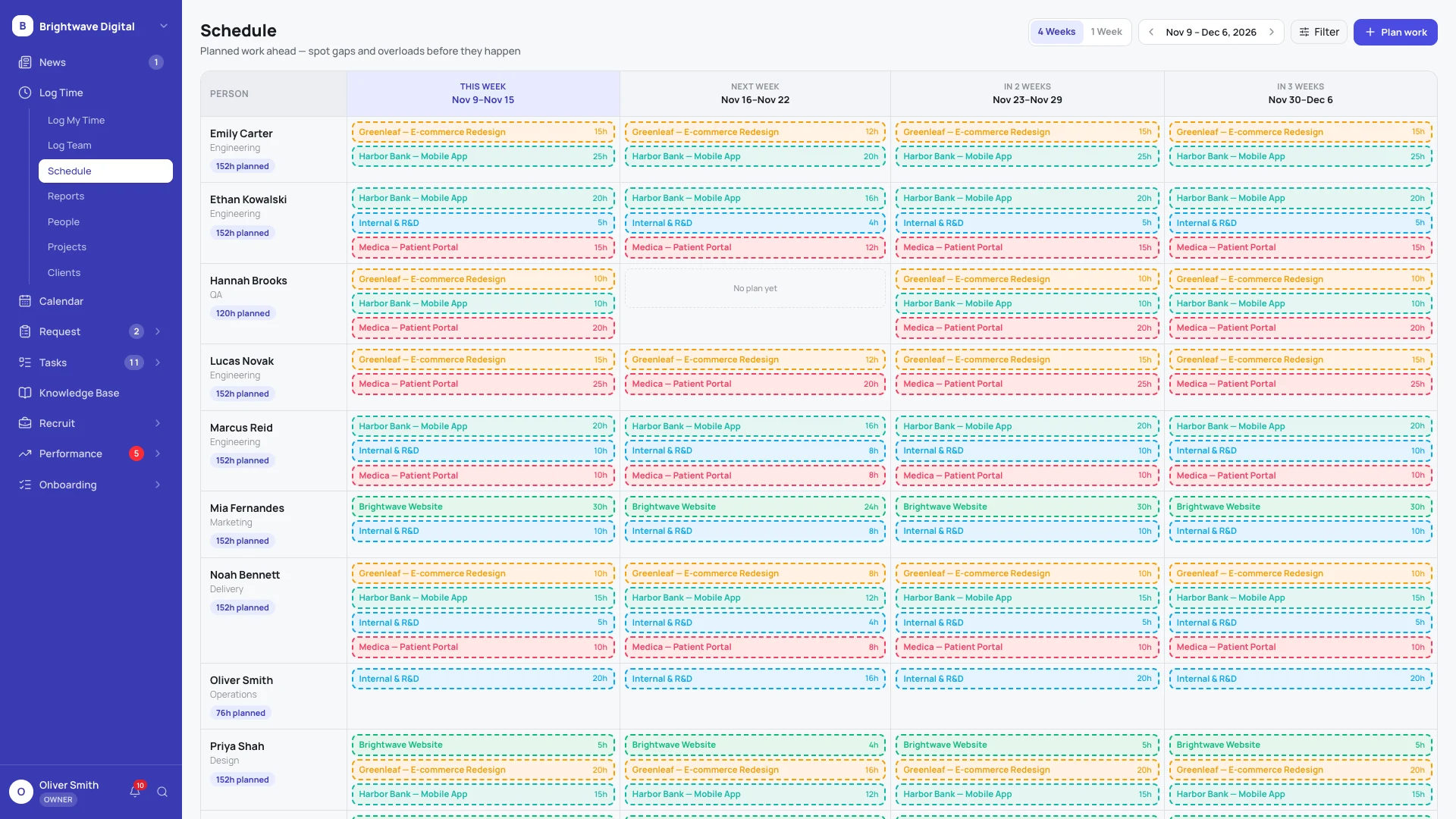
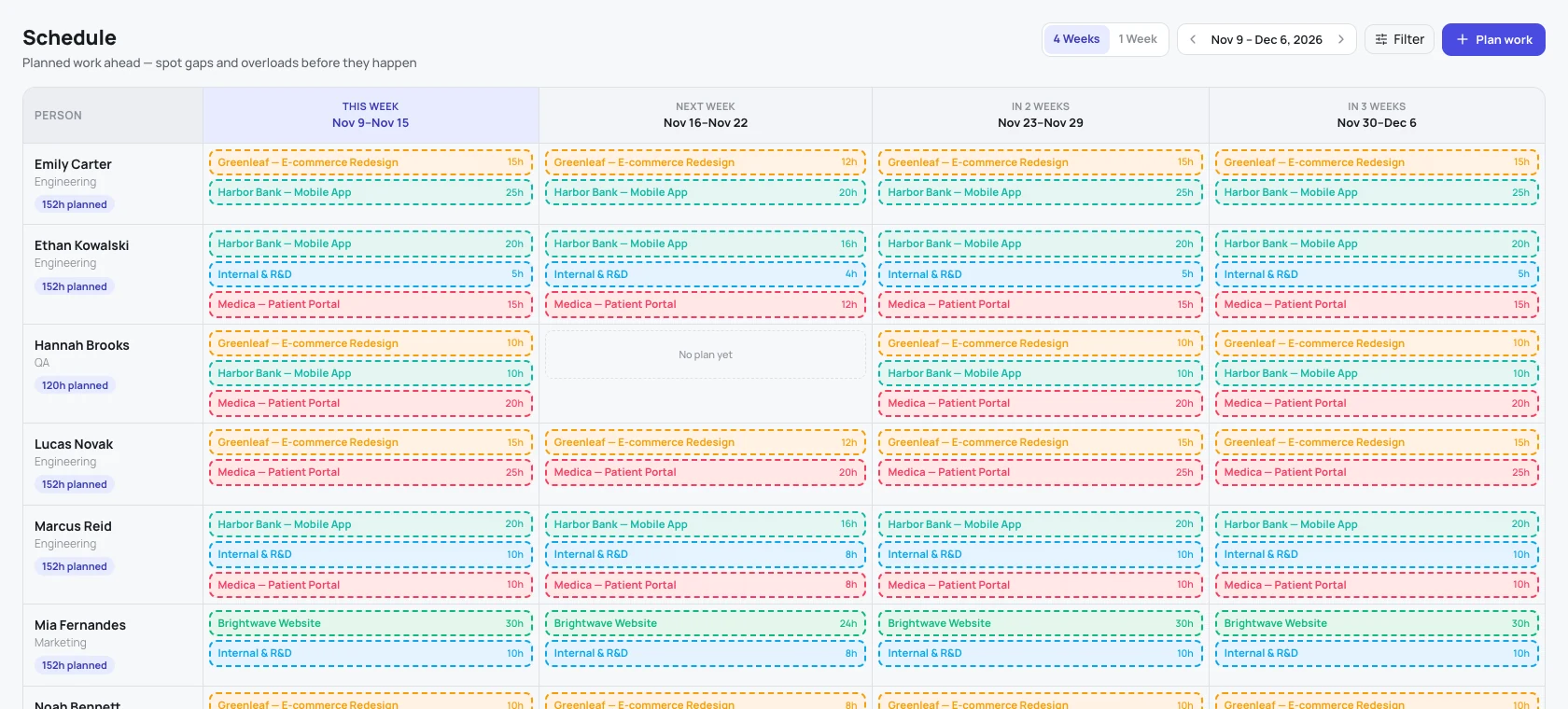
Plan the week before it starts
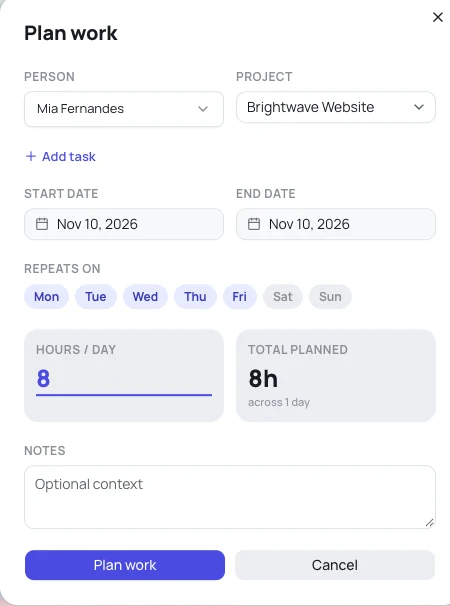
“+ Plan work” assigns a project to a person for a date range, on chosen weekdays, with hours per day and a note. Holidays and approved time off are skipped and the total is shown. You can’t plan beyond a project’s hour limit; Weekfox offers to fit the plan into it instead.
- The team knows who is busy with what.
- Managers see overload before it happens.
- Find a person from the keyboard; the last choice is remembered. Remove a plan for one day or for all following days.
- Where
- Log Time
- Schedule
- + Plan work
- Who
- Owner, Admin, Manager.
Connected to Log My Time
The plan lands on everyone’s board
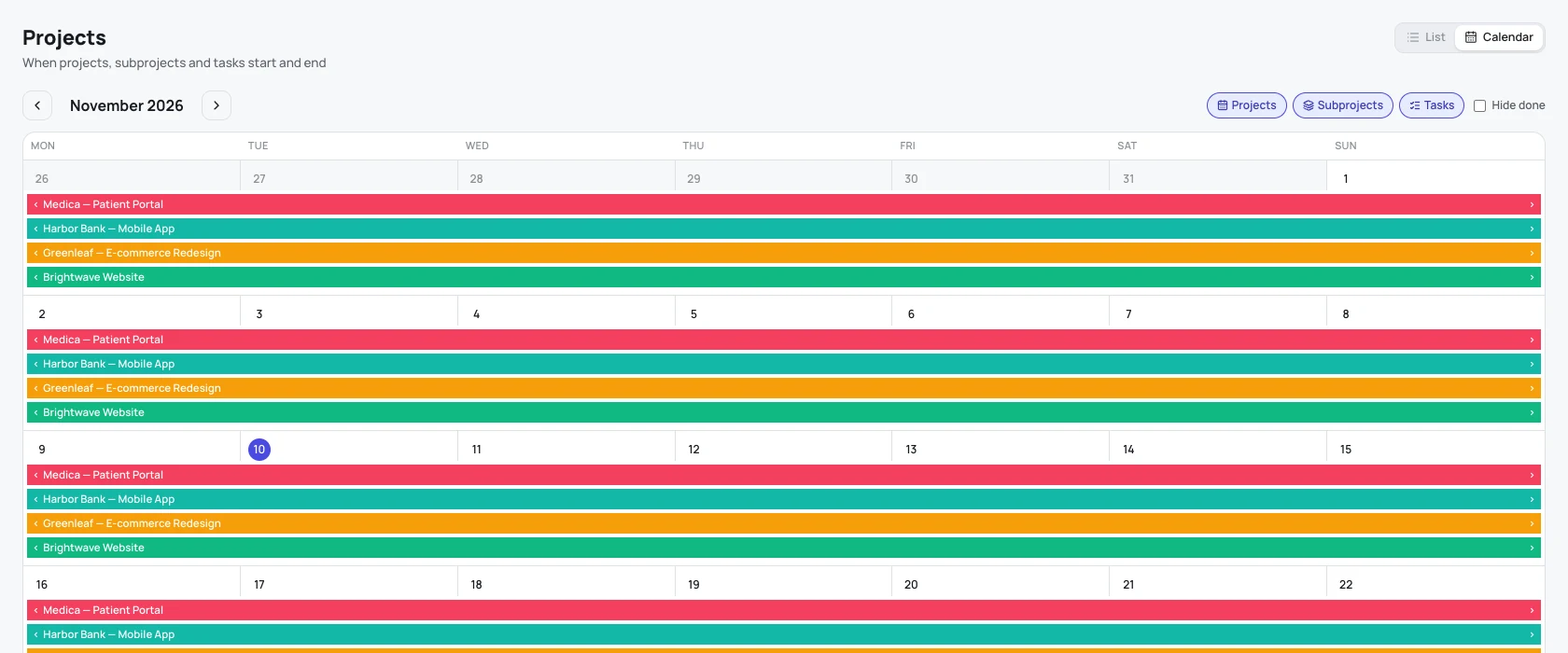
Planned work shows up in each person’s Log My Time right away. They confirm what actually happened instead of typing everything from scratch. Projects also have a calendar view, so you can see every project over the month.
- Less typing for the team, more accurate hours for you.
- Where
- Log Time
- Projects
- Calendar
- Who
- Owner, Admin, Manager plan. Everyone sees their own plan.
Reports
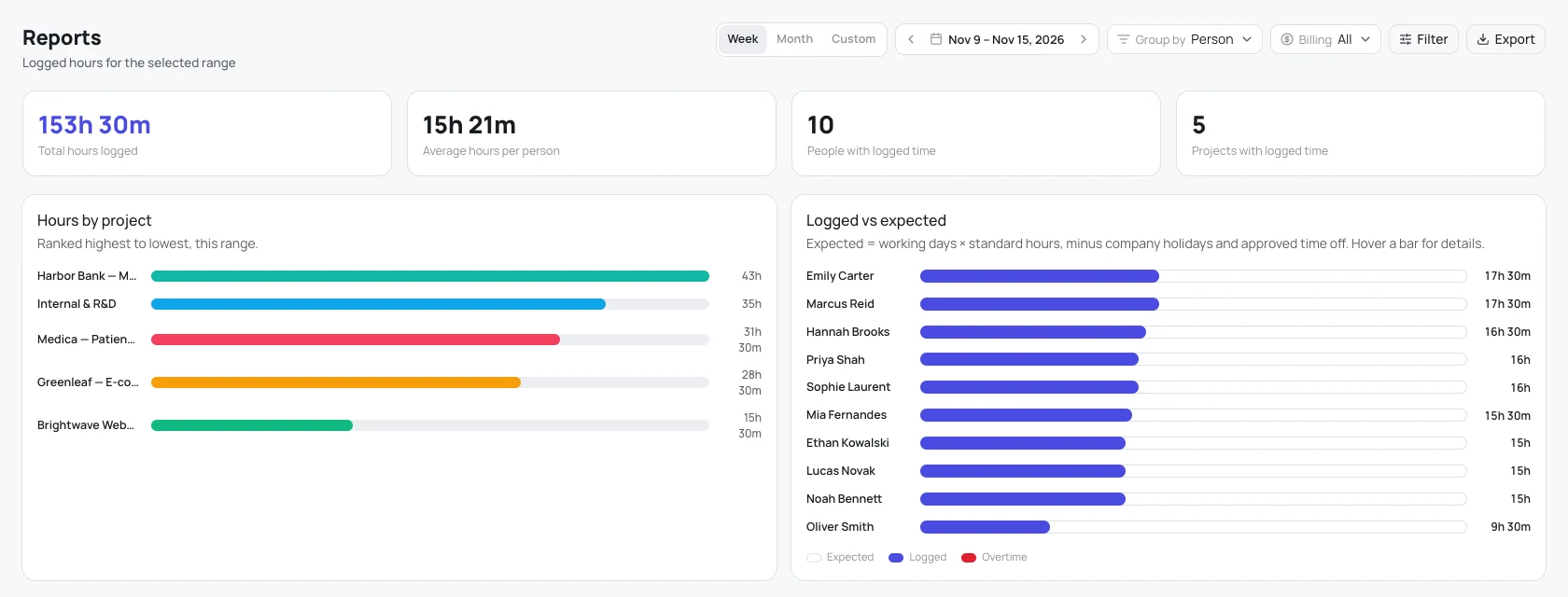
A client report in two clicks
Pick a week, a month or any period and filter by people, departments, projects and billable. You get totals per person and per project, with billable and non-billable hours separately. Expected hours are calculated automatically: working days × hours per day − holidays − time off. A bar for each person shows expected, logged and the shortfall; hover for details.
- A report for a client or for accounting in a minute, not an evening in Excel.
- A shortfall is visible straight away, not at the end of the month.
- Where
- Log Time
- Reports
- Who
- Owner and Admin see everyone. Managers see their team.
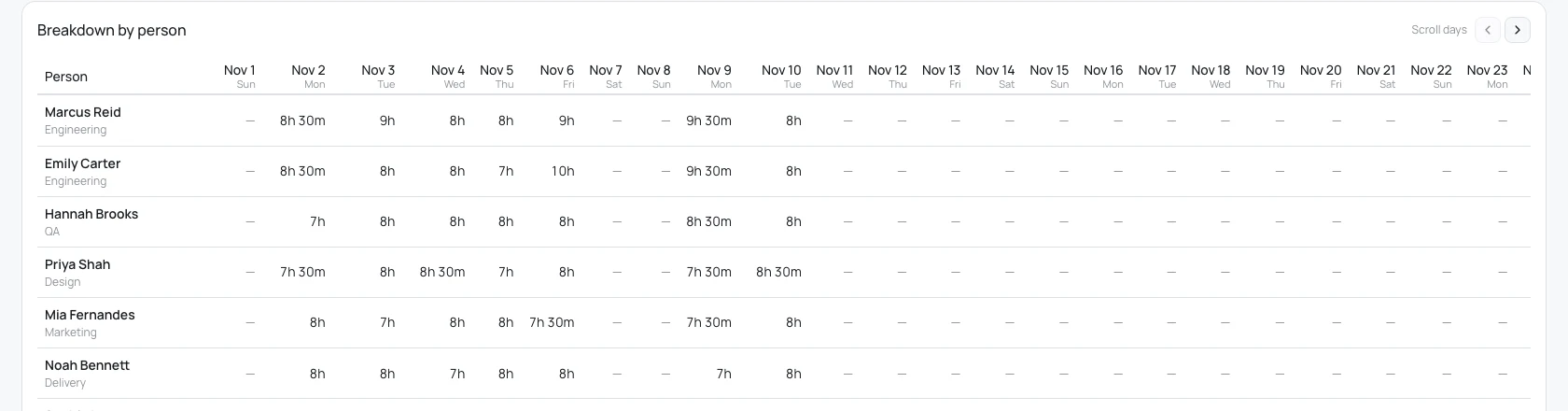
Breakdown by person
Every person, every day
Below the totals, a day-by-day breakdown shows each person’s hours for the period. Export the report when it’s time to invoice.
- Spot gaps day by day before they turn into a billing problem.
- Where
- Reports
- Breakdown by person
- Export
- Who
- Owner, Admin, Manager.
Replace five tools with one this week
Start your free month today, or talk to us about your team first.
Mykola Plakhotnik + you
CEO
- 30 minutes, at a time that suits you
- Video call in the app you use: Zoom, Google Meet or Microsoft Teams. We send the link for the one you pick.
- A live tour built around your team's questions
- 1 month free
- No credit card
- Cancel anytime