
No request gets lost
Tasks with deadlines and a built-in review step, plus every approval that’s waiting for you in one list.

Mykola Plakhotnik + you
CEO
- 30 minutes, at a time that suits you
- Video call in the app you use: Zoom, Google Meet or Microsoft Teams. We send the link for the one you pick.
- A live tour built around your team's questions
- Owner
- Admin
- Manager
- User
- Low · Medium · Highpriority on every task
- 24 hminimum lead time for a deadline
- 1 listfor everything waiting on you
Tasks with review
Done isn’t done until it’s approved
A task has a title, description, assignee, priority and a deadline at least 24 hours away. The assignee marks it Done; the author approves it or sends it back with a comment. Tasks can be handed to someone else or cancelled with a reason, and every card keeps a history of actions.
- Requests don’t vanish in messengers.
- The person who asked checks the result, not the person who did it.
- If two people edit a task at once, the second is asked to refresh, so nothing is overwritten.
- Where
- Tasks
- Create a task
- Who
- Everyone can create tasks. Owner, Admin and Manager can assign to anyone; a User assigns to their own managers, or to admins if they have none.
- Open
- Doneby the assignee
- Approvedby the author
Send back with a comment
Three lists
What needs you comes first
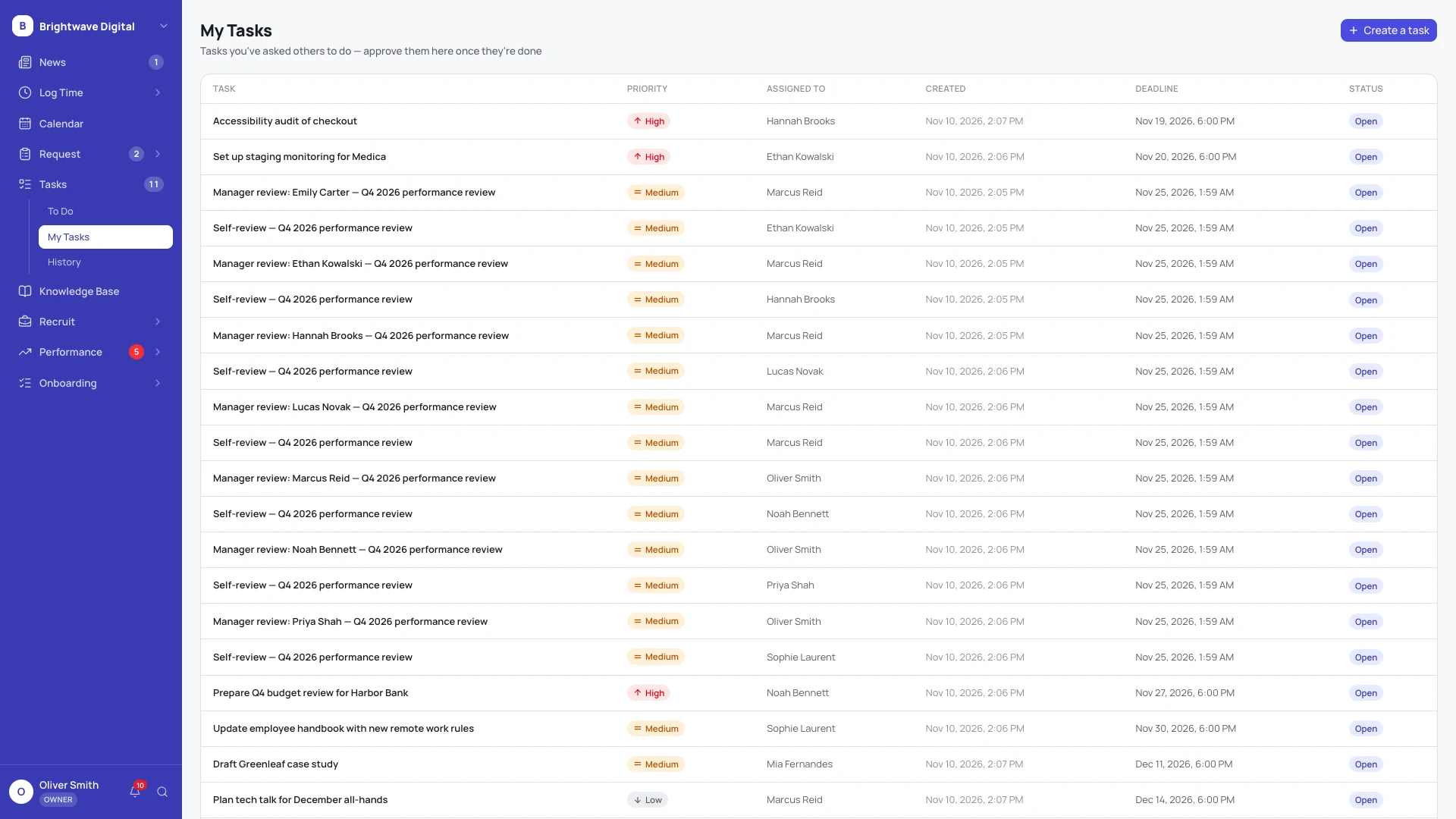
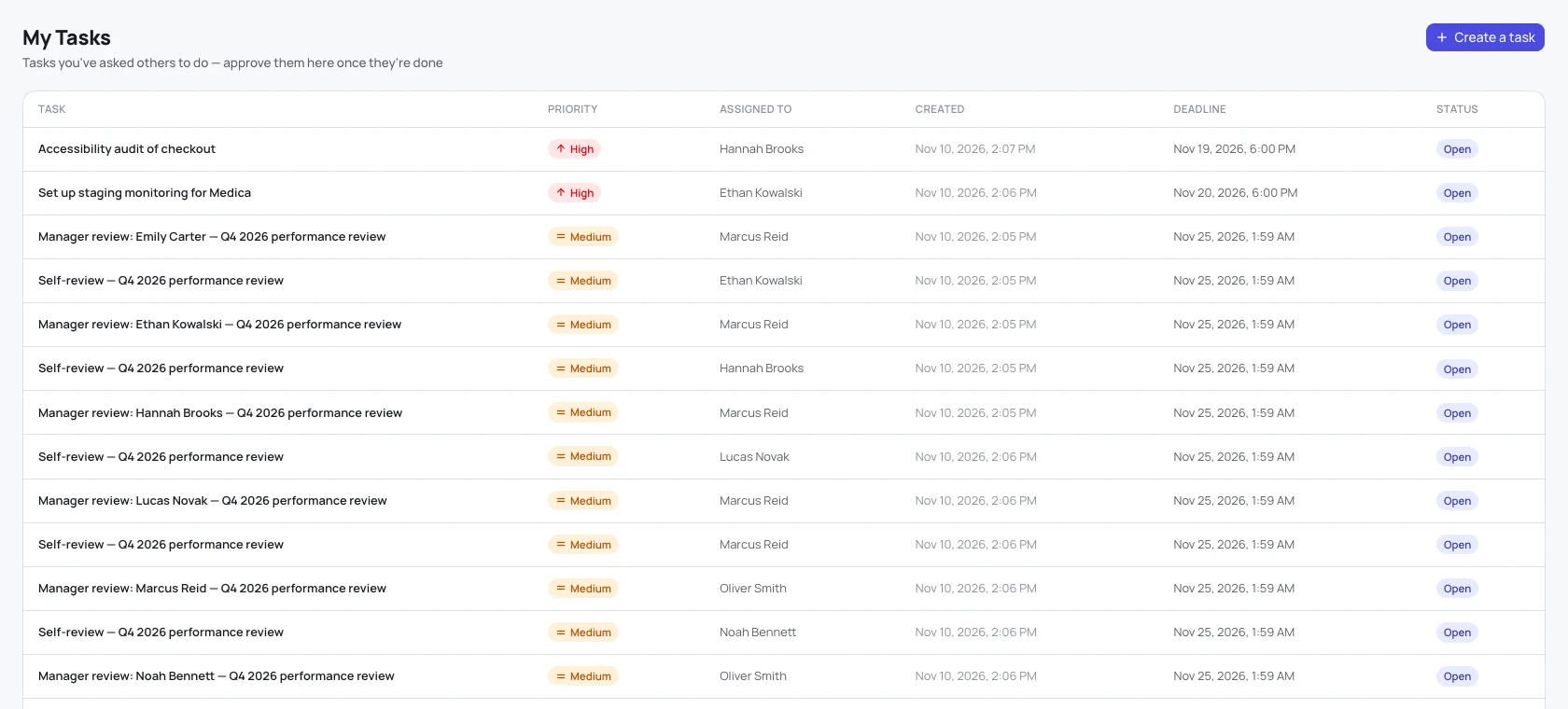
To Do holds tasks assigned to you, My Tasks the ones you’ve set, History the finished ones. Tasks that need your action are listed first, then the nearest deadline, then priority.
- Open the list and start at the top. The order already makes sense.
- Where
- Tasks
- To Do · My Tasks · History
- Who
- Every role.
- News1
- Request2
- Tasks3
Deadline tomorrowPrepare Q4 budget review for Harbor Bank
The menu counter shows open tasks on you plus finished tasks waiting for your approval. It turns red when something is overdue or due within 24 hours, and an email about overdue tasks arrives every morning.
System requests
One list for everything awaiting your decision
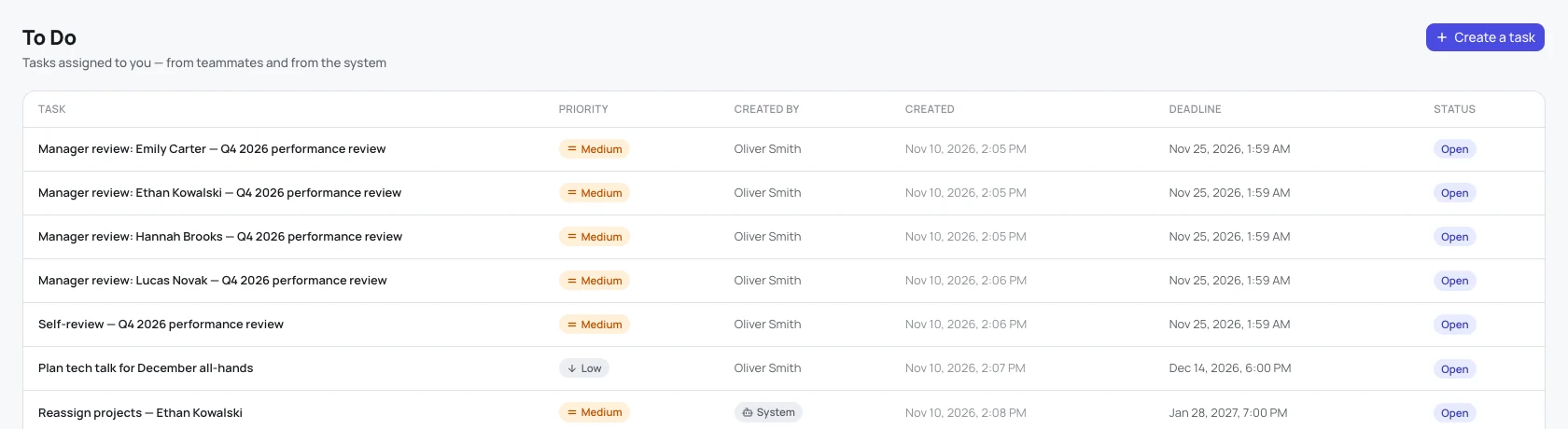
Requests to unlock logged hours, extra hours over a project’s limit, closing an account when someone leaves and feedback on a candidate all arrive as tasks from “System”.
- All approvals in one place instead of five different sections.
- Where
- Tasks
- To Do
- Open task
- Approve or decline
- Who
- Approvers: Owner, Admin, Manager, interviewers.
Replace five tools with one this week
Start your free month today, or talk to us about your team first.
Mykola Plakhotnik + you
CEO
- 30 minutes, at a time that suits you
- Video call in the app you use: Zoom, Google Meet or Microsoft Teams. We send the link for the one you pick.
- A live tour built around your team's questions
- 1 month free
- No credit card
- Cancel anytime