
The whole employee lifecycle, on autopilot
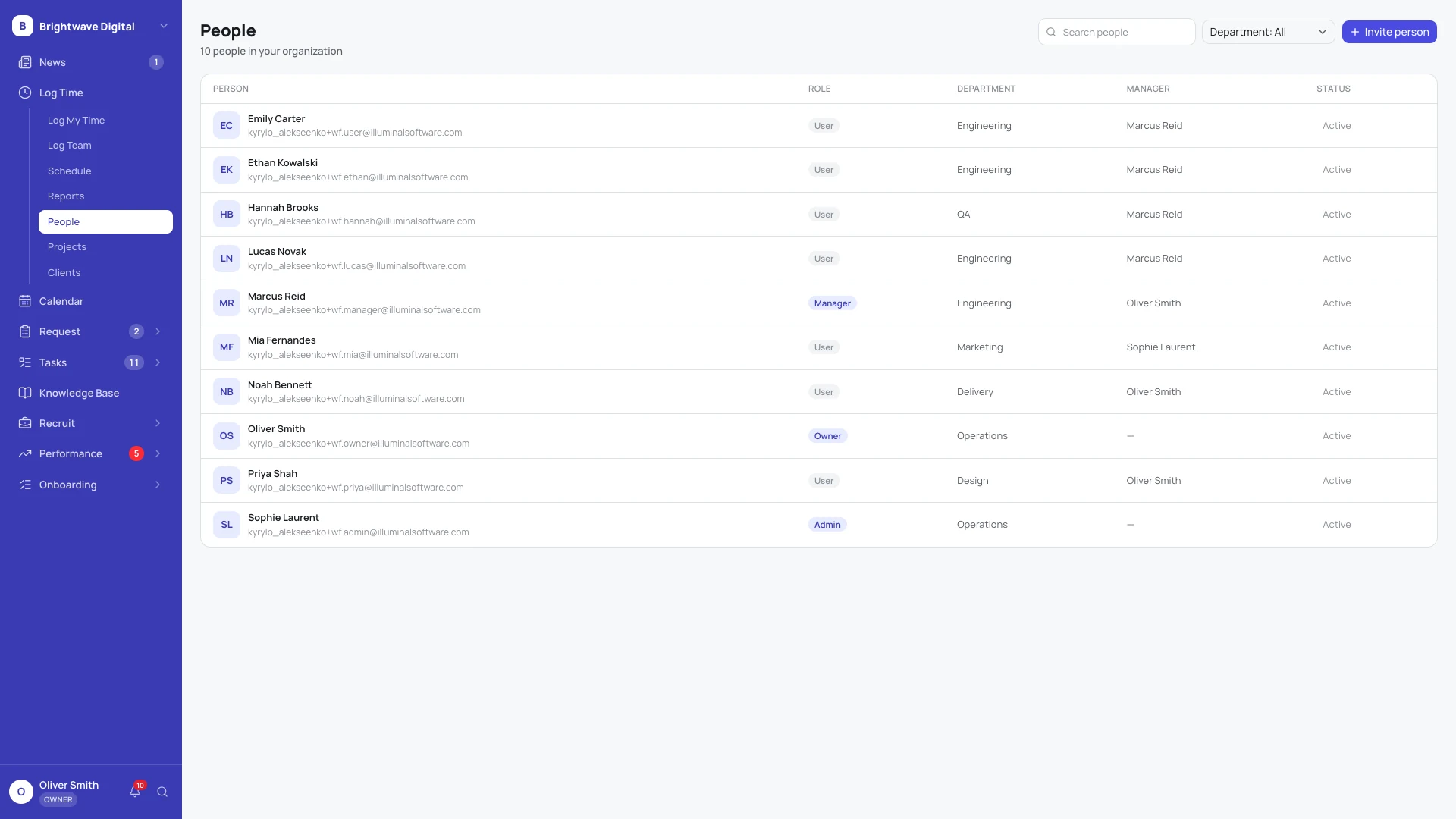
One card for every person, and checklists that start by themselves when someone joins or leaves. From the first day to the last, nothing is done from memory.

Mykola Plakhotnik + you
CEO
- 30 minutes, at a time that suits you
- Video call in the app you use: Zoom, Google Meet or Microsoft Teams. We send the link for the one you pick.
- A live tour built around your team's questions
- Owner
- Admin
- Manager
- User
- Day −3 → Day 30tasks timed to the start date
- Automaticchecklists start on invite or last day
- HR onlysalary and documents stay private
The whole cycle in one system
- HireRecruiting
- OnboardingChecklist starts itself
- WorkTime, requests, reviews
- OffboardingLaptop back, access closed
- ArchiveHistory kept for reports
Onboarding & offboarding templates
Describe the process once. It repeats itself.
A template is either Onboarding or Offboarding and holds tasks grouped by category. Each task has a text, a description, a due date relative to the start date or the last day (“Day −3”, “Day 1”, “Last day”) and an owner: the employee, their manager or a specific person.
- Every new hire and every departure goes the same way.
- HR sets up the process without a developer.
- Where
- Onboarding
- Templates
- Who
- Owner and Admin.

- Day −3Prepare laptopIT
- Day 1Welcome meetingManager
- Day 1Sign employment contractNew hire
- Day 5Meet the teamNew hire
- Day 30First check-inManager
Automatic checklists
A new hire’s first week, by plan, not by memory
Onboarding is created when the new hire accepts their invite; offboarding when someone’s last day is set. Each checklist task goes to its owner’s Tasks. The employee sees an Onboarding or Offboarding menu item with their own tasks and moves them Not started → In progress → Done. An Owner or Admin confirms each finished task or reopens it.
- Nobody forgets to start onboarding.
- The new hire knows what’s expected and gets an email about their first week.
- HR sees which step everyone is on, done / total, also in the person’s profile.
- Where
- Onboarding
- Onboarding · Offboarding
- Who
- Lists and progress: Owner, Admin, Manager. Confirming tasks: Owner, Admin. “My checklist”: the employee.

Checklists in progress
- Mia FernandesOnboarding · started Nov 24 / 10
- Ethan KowalskiOffboarding · last day Jan 290 / 11
For employees
Their profile, their privacy rules
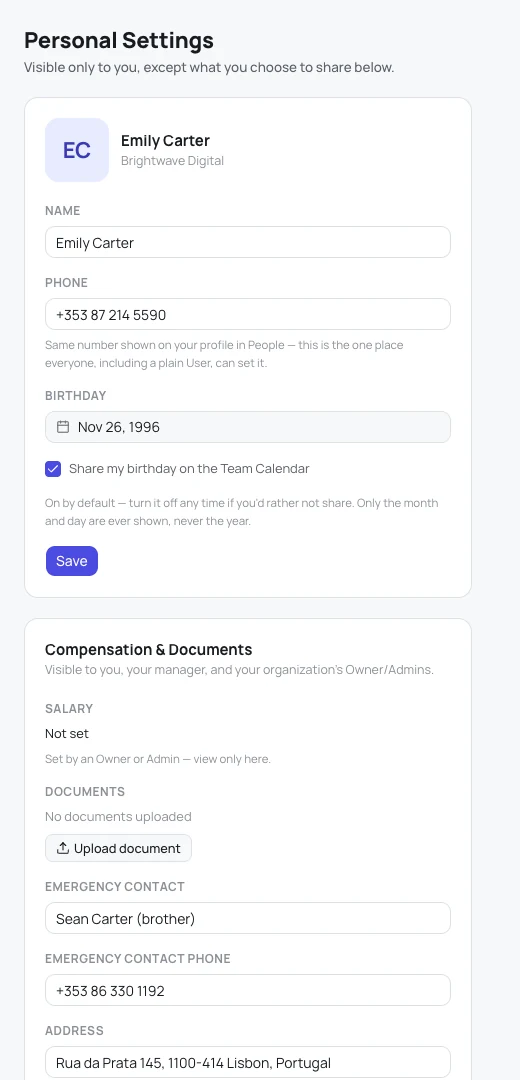
Each employee keeps their own name, photo (JPG, PNG or WebP), phone, birthday, address, emergency contact, password and theme. Their photo appears in the menu, lists, news and comments.
- HR doesn’t collect personal details by hand.
- Colleagues recognize each other’s faces.
- Only the employee can change their photo.
- Where
- User menu
- Personal Settings
- Who
- Every role, for their own profile.
Extended card
The whole story of an employee in one card
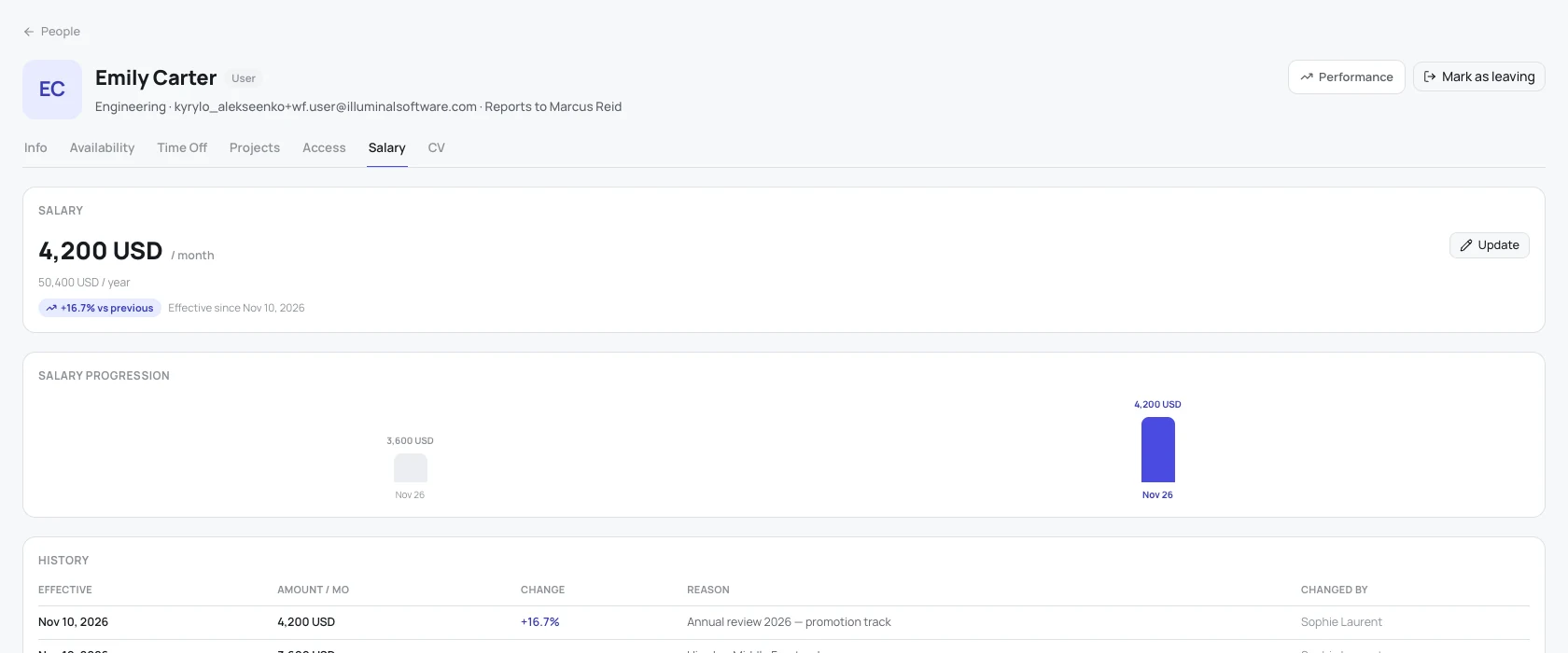
CV and documents with a title and description, current salary, the history of every change with its reason, and costs for the employee. The employee sees their own “Compensation & Documents” block.
- Replaces folders on a shared drive and HR spreadsheets.
- Before a salary review, the whole history is right there.
- Where
- Log Time
- People
- Person
- CV · Salary
- Who
- Salary: Owner and Admin, or a custom role with that permission.
Visible to HR only
Offboarding & archive
When someone leaves, nothing is forgotten
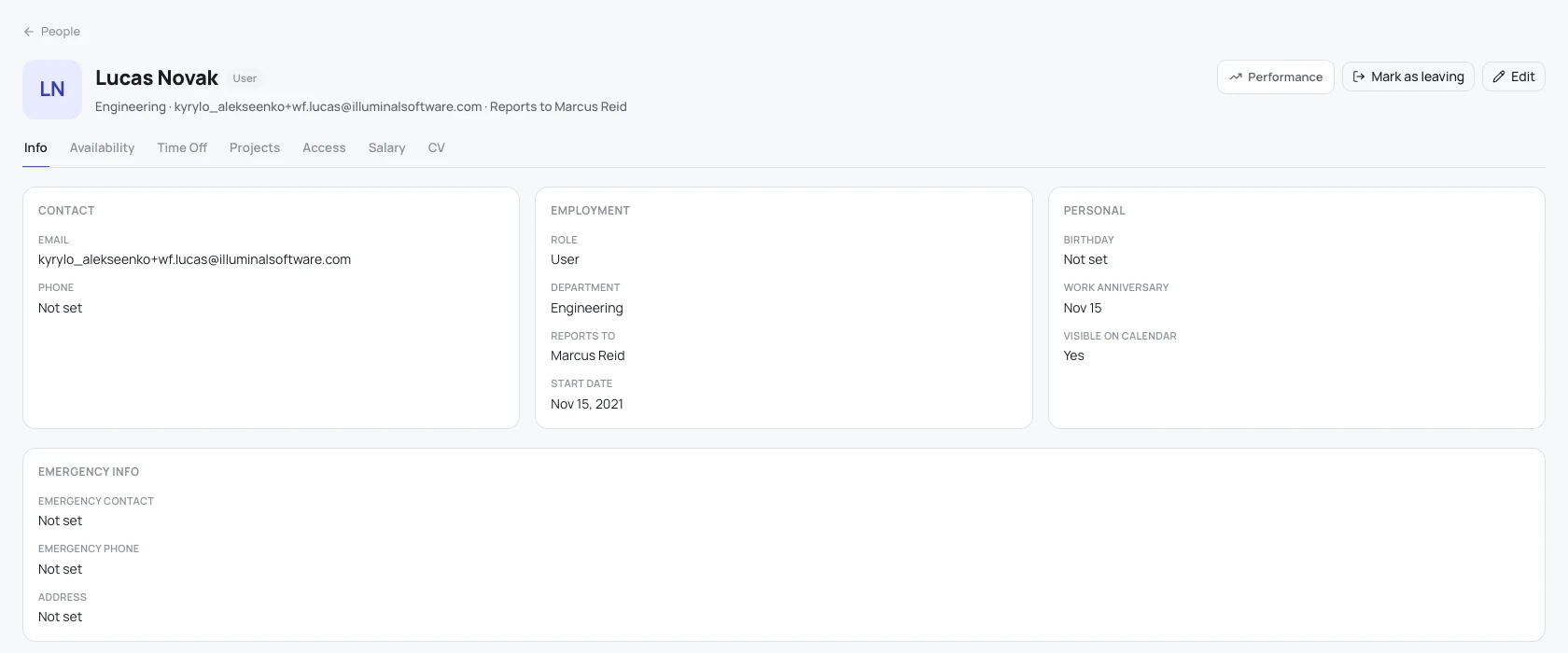
Mark someone as leaving, set the last day and pick an offboarding template; the checklist starts. It can be cancelled until the last day. An archived employee can’t sign in, but their hours and requests stay for reports. Deleting is possible only from the archive, with confirmation.
- The laptop comes back and access is closed, by checklist.
- History for reports stays intact.
- The Owner can’t be archived or deleted.
- Where
- Profile
- Mark as leaving
- Last day + template
- Who
- Owner and Admin.
Replace five tools with one this week
Start your free month today, or talk to us about your team first.
Mykola Plakhotnik + you
CEO
- 30 minutes, at a time that suits you
- Video call in the app you use: Zoom, Google Meet or Microsoft Teams. We send the link for the one you pick.
- A live tour built around your team's questions
- 1 month free
- No credit card
- Cancel anytime